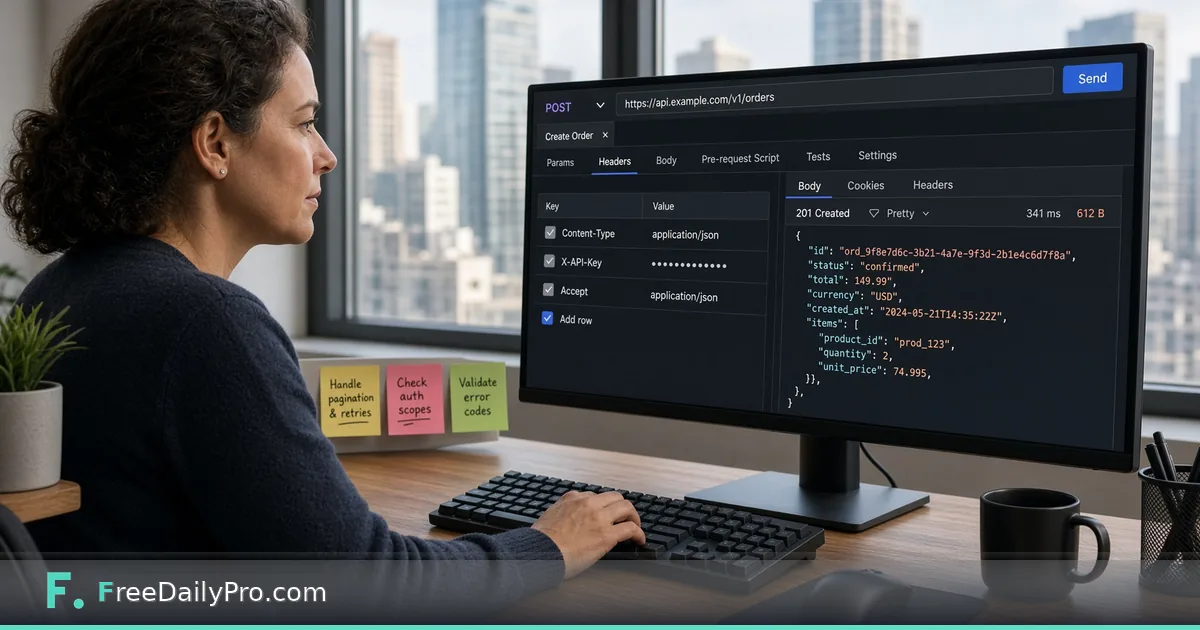
Call the FreeDailyPro API From Postman in Two Minutes
Use the FreeDailyPro Postman collection with your API key to call live endpoints without writing code first.
Priya Nair teaches a weekend backend workshop in Toronto. Students freeze when a README only shows curl. The FreeDailyPro developers page now points at a public Postman workspace and documentation view so a first live call is a button, not a blank file. This post is that two-minute path—plus the mistakes that burn an hour.
Where the links live
On the developers resources list:
- Postman documentation — public collection with requests pre-filled (documentation view:
https://documenter.getpostman.com/view/57830674/2sBYAytUod). - Postman workspace overview —
https://www.postman.com/freedailypro-3310105/freedailypro-api-246-endpoints/overview. - OpenAPI file —
https://api.freedailypro.com/openapi.jsonfor codegen and contract checks. - RapidAPI — an in-browser playground, if the team already lives there; the developers page lists the RapidAPI products as public.
The developers FAQ states both Postman and RapidAPI hit the same production API, not a mocked sandbox.
Worked example: word-count in class
- Instructor: Priya Nair
- Sample text: “Postman sends live FreeDailyPro calls.”
- Header:
X-API-Keyfrom a trial key she created in class - Success: JSON with a
resultobject holdingwords,characters,sentencesand more; students compare with browser Word Counter - Follow-up: slug style checks against Slug Generator; pretty-print payloads with JSON Formatter
Steps (two minutes when the network cooperates)
- Create a key on developers (trial, no card required).
- Open the Postman documentation or workspace link from that page.
- Fork or import the FreeDailyPro collection into your Postman account.
- Create an environment variable, for example
FDP_API_KEY, and paste the key value only in the environment—not in a shared collection description. - Map the collection’s API key header to
{{FDP_API_KEY}}if it is not already wired. Header name must beX-API-Key. - Select a simple text request (word-count style) and send.
- Confirm status 200 and a sensible JSON body.
- Optional: without a key, the developers page also documents a limited browser “try it now” path at 10 calls per hour per IP—useful for demos, not for workshops of thirty students on one NAT.

curl twin for the same habit
curl -X POST https://api.freedailypro.com/v1/text/word-count \
  -H "X-API-Key: YOUR_API_KEY" \
  -H "Content-Type: application/json" \
  -d '{"text":"Postman sends live FreeDailyPro calls."}'
Exact path names can be copied from the collection or OpenAPI; students should trust the live collection over memory.
Common mistakes
- Using
Authorization: Bearerbecause another vendor taught that pattern. - Putting the raw key inside a collection that gets exported to GitHub.
- Regenerating the key on the website and forgetting to update the Postman environment.
- Testing huge media uploads on trial keys without reading size/time caps (trial keys: on the order of 25 MB and 60 seconds for many media operations—over-limit returns 413/422 and are not billed per developers copy).
- Assuming Postman is a mocked sandbox when the errors are real 401/429 from production.
Limits and good to know
- Trial: 20,000 calls/month shared across endpoints and MCP; paid tiers at $24 / $69 / $129 as listed on developers.
- Processing in memory; developers copy: nothing you send is stored.
- Overview: API and MCP server-side tools.
- FreeDailyPro offers 200+ professional tools for browser work beside the API.
Environment hygiene for teams
Priya’s rule for any shared Postman workspace: keys live only in personal or local environments, never in the collection JSON that gets exported. Collection variables may hold the header name (X-API-Key) but not the secret. When a contractor finishes the weekend workshop, they rotate the key on the developers page so old environment files die quietly.
She also pins a one-line description on the environment: “Production FreeDailyPro — rotate on offboarding.” That label stops someone from cloning a staging habit onto a live key without noticing.
Which request to run first
Start with a text utility such as word-count. It is fast, returns JSON, and fails loudly on a bad key (401) without uploading files. Only after 200s look clean should the class open PDF merge or media routes that need sample files and larger trial caps. Students who jump straight to video compress on a shared hotel Wi-Fi spend the hour debugging network timeouts instead of headers.
Reading errors without panic
- 401 — missing or stale key; confirm header name and regeneration.
- 429 — plan call limit; wait or upgrade; do not tight-loop retries in a demo.
- 413 / 422 on media — trial size or duration caps; shrink the sample.
- 400 — body field names wrong; copy the example from the collection, do not invent property names from memory.
Priya puts this list on the whiteboard. It turns scary red status codes into a checklist.
Classroom protocol Priya uses
Each student creates their own trial key. She never projects a live key. When the session ends, students regenerate keys if the laptop is shared. For demos she uses only sample sentences, never customer data.
From Postman to CI
Once a request works in Postman, Priya exports the curl and pastes it into a GitHub Action secret-backed step. Postman remains the teaching UI; CI remains the long-term runner. The collection is the contract the team argues about before code freezes.
FAQ
Is the Postman collection a sandbox? No. Requests are live against production with your key (or the limited key-less demo where documented).
What header name is required?
X-API-Key.
Where do I get OpenAPI?
https://api.freedailypro.com/openapi.json plus per-job specs linked from developers.
Closing next step
Reading OpenAPI is valuable; sending one live call teaches faster. Open developers, launch Postman from the resources list, set X-API-Key, and run word-count on a sample sentence.
If you want a screenshot walk-through of the Postman steps next, ask at https://www.freedailypro.com/contact.