Read an STL's Open Edges, Volume and Bed Fit Before Slicing
Open an STL, 3MF, OBJ, PLY or GLB in your browser, then read triangle counts, watertight status, volume and whether it fits your print bed.
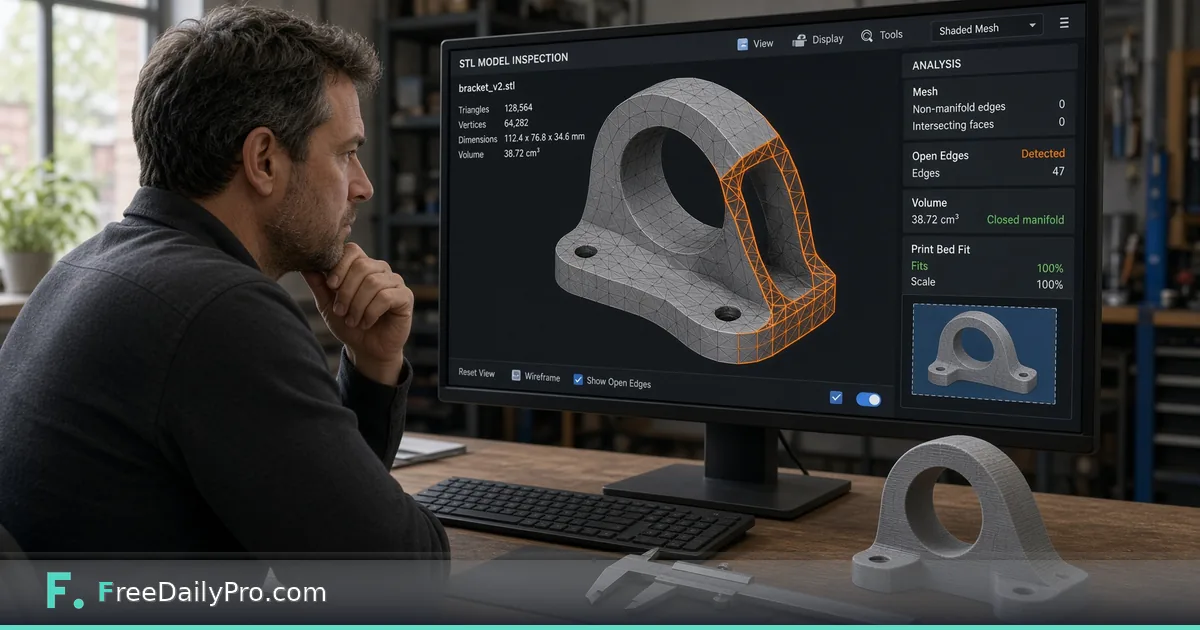
A model downloaded from a sharing site looks fine in the thumbnail. Then the slicer complains about holes, or the print finishes and the part is a few millimetres too long for its slot. Most of those surprises are visible in numbers you can read before you open the slicer. 3D Mesh Viewer shows the model as a lit solid you can orbit, and underneath it prints a short report: vertices, triangles, bounding box, watertight status, volume and a bed-fit check.
The clip below shows loading a model and turning it around.

A made-up case: a cable tray that is 25 mm too long
Suppose you download cable-tray.stl for a desk drawer. It loads in a second or two and the report under the viewer says the bounding box is 245 by 120 by 30 mm. The Print bed boxes below it start at 220 by 220 by 250 and the message beside them reads Larger than the bed, because 245 is more than 220 on the X axis.
If your printer's real bed is 256 by 256, type 256 into the X and Y boxes and the message flips to Fits on the bed. The numbers are your printer's, so fill in the actual build volume and not the default. Now you know before slicing that the tray needs a bigger machine, a smaller scale or a cut into two parts, rather than finding out from a failed print preview.
Steps in the tool
- Drop the file onto the zone. Accepted types are STL (ASCII or binary), OBJ, PLY, GLB and 3MF.
- Orbit by dragging, zoom with scroll or pinch, and pan with a right-drag. Reset View returns to the starting angle.
- Switch on Wireframe to see the triangles themselves, and Auto-rotate to let the model turn on its own while you look for gaps.
- Read the report: vertices, triangles and the bounding box in X by Y by Z.
- Read the watertight line, then the volume and surface area if it passes.
- For STL and 3MF files, fill in your bed dimensions in millimetres and read the fit message.
Change file lets you swap in another model. Everything runs in your browser, so the model is not sent to a server.
How to read the numbers
Vertices come with a second figure when needed, for example 8 with 36 before merging. An STL stores every triangle's three corners separately, so a simple 20 mm cube with 12 triangles is written as 36 corner points. The viewer welds corners that coincide, leaving 8, and does its checks on the welded mesh. That is why the count can look smaller than the file suggests.
Watertight means every edge joins exactly two triangles, which is what a slicer needs to treat the shape as a solid. If it fails, the report says how many open edges there are, and mentions edges shared by more than two faces when they exist. A handful of open edges is often a small hole; thousands usually mean a surface model that was never closed. A note may also say some zero-area triangles were ignored in the checks.
When the mesh is watertight you get volume and surface area, and a warning if the faces point inward, which means the normals are flipped.
Turning volume into a rough filament ceiling
Say the tray reports 38,500 cubic millimetres. That is 38.5 cubic centimetres. A solid print in PLA, with a density of about 1.24 grams per cubic centimetre, would weigh roughly 48 grams. Real prints use much less because slicers print an interior pattern rather than solid plastic, so treat 48 grams as the upper bound for a spool check, not a prediction. The surface area figure is similarly useful when estimating paint or coating.
If the report shows a volume of zero or a strange value, return to the watertight line first. Volume is only calculated when the mesh is closed.
Format traps
- OBJ and PLY carry no unit, so the size is labelled plain units and the bed boxes are hidden. If you know the file was modelled in millimetres, read the number as millimetres yourself.
- STL and 3MF are treated as millimetres, so those show the bed check. An STL has no unit stored; a part modelled in inches will appear 25.4 times too small, so a 4 inch part shows as 4 mm.
- GLB sizes are labelled in metres, and a 0.12 reading means 120 mm. There is no bed check for it.
- A separate .gltf file is rejected, because only the single-file GLB form is accepted. Export or convert it to GLB.
- The viewer reads geometry only. Colours, textures and materials are dropped, and every model shows in the same blue, so it is a shape check, not a colour check.
Common mistakes
- Trusting the thumbnail. Open edges are tiny and invisible from far away; spin the model with Wireframe on.
- Reading the bed result for OBJ files that never show it, and assuming the part fits.
- Leaving the default 220 by 220 by 250 bed in place while your printer is smaller.
- Fixing the wrong thing. This tool reports problems; it does not repair meshes. Repair in your modelling software, then re-open the new file here.
- Ignoring flipped normals. A model that is inside-out can slice strangely even though it is watertight.
Where to go next
If a slicer cannot read the file, STL ASCII/Binary Converter rewrites it between the two STL encodings, and 3D Mesh Converter moves between supported formats. The post on checking a mesh before committing filament covers the scale and unit side in more depth, and the 3D tools category lists the rest.
Treat the report as a checklist, not a guarantee. A watertight, in-bounds model can still print badly if overhangs are steep or walls are too thin, and the viewer does not analyse either.
Which check would save you the most reprints: thin walls, overhangs or part tolerances? Tell us on the contact page.