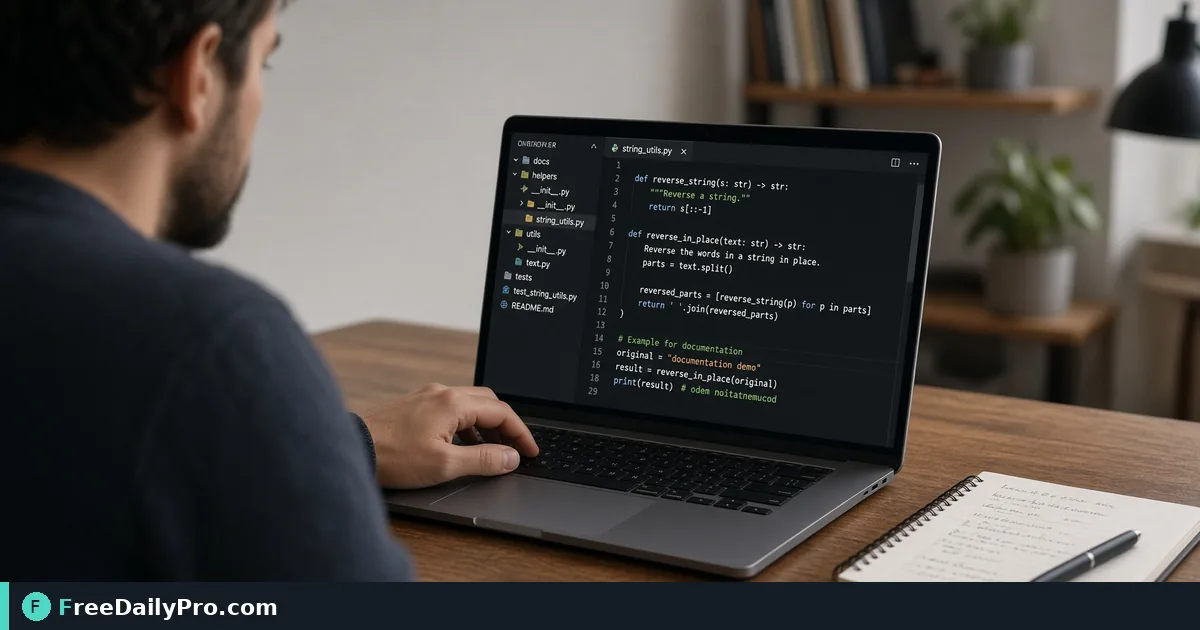
Generate Reversed-String Test Cases, Emoji and Accents Included
Build an expected-output table for a string-reversal exercise, and see why emoji and accents break naive reversal code.
Every programming course has a "reverse a string" exercise, and every README that explains it contains at least one hand-reversed example with a typo in it. A reader tries your sample, the output does not match, and your documentation is now the bug. Text Reverser produces the exact reversed output so you can paste it into docs or a test file without doing it in your head.
Quick answer: paste your text, press Reverse Text for character-by-character reversal, Reverse Words for word order inside each line, or Reverse Lines for line order. The same page also removes duplicate lines or words and sorts lines. Everything runs in your browser tab.
The clip below shows the reversing and duplicate-removal buttons in action.

Three kinds of "reverse" and what each does
Reverse Text flips the whole text character by character, so "Hello, World!" becomes "!dlroW ,olleH". Reverse Words keeps each line where it is and reverses the word order inside it, so the same input becomes "World! Hello,", with punctuation staying attached to its word. Reverse Lines leaves every line's text alone and flips the order of the lines. Choosing the wrong one is the commonest mistake, and it is easy to spot: if your words are readable, you used the word or line version.
A worked fixture table for a README
Say you are writing a kata with these inputs. The expected column below is what Reverse Text produces:
| Input | Reverse Text output |
|---|---|
| racecar | racecar |
| A man, a plan, a canal: Panama | amanaP :lanac a ,nalp a ,nam A |
| 12345 | 54321 |
| Dr. Smith wrote this | siht etorw htimS .rD |
Two observations. First, "racecar" comes back unchanged, which is the palindrome check: if the output equals the input, the text reads the same both ways. The Panama sentence does not match when spaces, commas and capitals are kept, which is why real palindrome tests normalise the text before comparing. Second, the spaces in the last row are preserved exactly, including the double and triple gaps. Reverse Text never tidies whitespace.
Reverse Words behaves differently on that last input. It splits on any run of whitespace and joins with single spaces, so "Dr. Smith wrote this" becomes "this wrote Smith Dr." The extra spaces are gone. If your test cares about whitespace, note which button you used.
Why emoji and accents are the interesting cases
Many languages store text in 16-bit units, and a loop that reverses those units tears apart anything built from more than one. The tool avoids that by splitting the text into user-perceived characters first. Two cases to put in your own tests:
- A family emoji joined from several parts. The text "Nora 👨👩👧 home" reverses to "emoh 👨👩👧 aroN", with the emoji intact. A naive reversal yields scrambled fragments.
- An accented letter written as a base letter plus a combining mark. "café" typed that way comes back as "éfac" with the accent still on the e. The naive version moves the accent to the front, where it attaches to nothing, giving a stray mark before "efac".
If you want your doc to explain this, paste the naive output from your own code into the Diff Checker beside the tool's output, and the differing characters are highlighted.
Steps for a clean result
- Paste the text into the box. Input can be a single line or many.
- Press the button that matches your goal: Reverse Text, Reverse Lines or Reverse Words.
- Read the confirmation message, then check the output box, which is read-only.
- Press Copy and paste the result into your document or test.
- Use Clear to empty both boxes before the next case.
A trailing newline is handled with care in Reverse Lines: "a, b, c" on three lines with a final line break gives "c, b, a" with the break still at the end, rather than a blank first line.
The other buttons, with real numbers
Say you reverse a short log that shows oldest first, so you can paste newest first into a ticket:
08:01 start
08:02 load
08:02 load
08:05 done
Reverse Lines gives 08:05 done, 08:02 load, 08:02 load, 08:01 start. Then Remove Duplicate Lines keeps the first copy of each line and leaves three. Duplicate matching has two options: Trim spaces (on by default) and Ignore case. They affect only how lines are compared, never the text that stays. For words, "the cat the Cat sat" becomes "the cat Cat sat" with case-sensitive matching and "the cat sat" with Ignore case on.
Sort A–Z and Sort Z–A compare lines with numbers read by value and without regard to case, so item2 comes before item10 and apple sits with Apple. For a heavy list-cleaning job, Text Sorter has more options.
Common mistakes
- Expecting trimmed spaces from Reverse Text. It keeps every space, tab and line break exactly, so a trailing space in the input becomes a leading space in the output.
- Reversing text that mixes right-to-left scripts such as Arabic or Hebrew. The characters reverse in storage order, which may not be the visual order you expect. Test with a short sample first.
- Using a reversal as a disguise for anything sensitive. Reversed text is trivially readable and offers no protection.
- Assuming that Remove Duplicate Words keeps sentences intact. It joins the surviving words with single spaces and ignores line breaks, so use it on word lists, not paragraphs.
When another tool is the better fit
To change capitalisation before comparing, use the Case Converter. To check how long the fixture file has grown, the Word Counter gives counts. More utilities of this kind are in the text tools category, and the guide to developer tools shows how they fit a normal day. Each press that processes text counts toward your 10 trial usages a day, so assemble your whole fixture list first and run it in a batch.
A last check before you publish
Run each sample twice, once with Reverse Text and once by hand on the shortest example, to confirm you read the right column. Then run the output through Reverse Text again: reversing twice should give back the original, and a mismatch tells you something in the pasted text was altered on the way.
What other small text jobs keep tripping up your docs, such as sorting, deduping or case changes? Tell us on the contact page.