Make a Full Favicon Set From a Wide Logo That Survives 16 Pixels
Turn one logo into favicon.ico, six PNG sizes and the head tags, and choose between crop to fill and fit whole image.
The browser tab is the smallest place your brand will ever appear, and a wide wordmark squeezed into 16 by 16 pixels turns into a smudge. Favicon Generator takes one image and produces every size browsers, phones and home screens ask for, along with the HTML to wire them up.
The video demonstrates uploading an image and downloading the set.

Why a wide logo breaks, with numbers
Take a 1200 by 400 pixel logo: a leaf symbol on the left and the word "Fernwood" on the right. The two fill modes treat it very differently at 16 pixels.
Crop to fill scales the image until the square is covered. The scale is the larger of 16/1200 and 16/400, which is 0.04, so the logo is drawn 48 pixels wide and 16 tall, and the middle 16 columns are kept. You lose the left and right thirds, so you might see half a leaf and a fragment of the letter F.
Fit whole image scales to the smaller factor, 16/1200, about 0.0133. The full logo appears, but it is only about 5 pixels tall inside a 16 pixel square. Those five rows cannot show lettering at all.
The lesson is blunt: a horizontal logo should not be your source image. Export a square version of just the symbol, or the first letter on a solid tile, and use that.
What the tool produces
From a single upload you get a ZIP with seven image files and a text note: favicon-16x16.png, favicon-32x32.png, favicon-48x48.png, apple-touch-icon.png at 180 pixels, android-chrome-192x192.png, android-chrome-512x512.png and favicon.ico. The .ico packs 16, 32 and 48 pixel versions together, each stored as a PNG inside the ICO container. That works in current browsers, but a very old program expecting bitmap-style icon entries might not read it.
The note, README.html-snippet.txt, contains the four link tags. They are also shown on the page with a Copy tags button:
<link rel="icon" href="/favicon.ico" sizes="48x48">
<link rel="icon" type="image/png" sizes="32x32" href="/favicon-32x32.png">
<link rel="icon" type="image/png" sizes="16x16" href="/favicon-16x16.png">
<link rel="apple-touch-icon" href="/apple-touch-icon.png">
Because every path starts with a slash, upload the files to the root of your site, not into a subfolder.
Steps in the tool
- Drop an image onto the upload area. A square symbol on a transparent background is ideal.
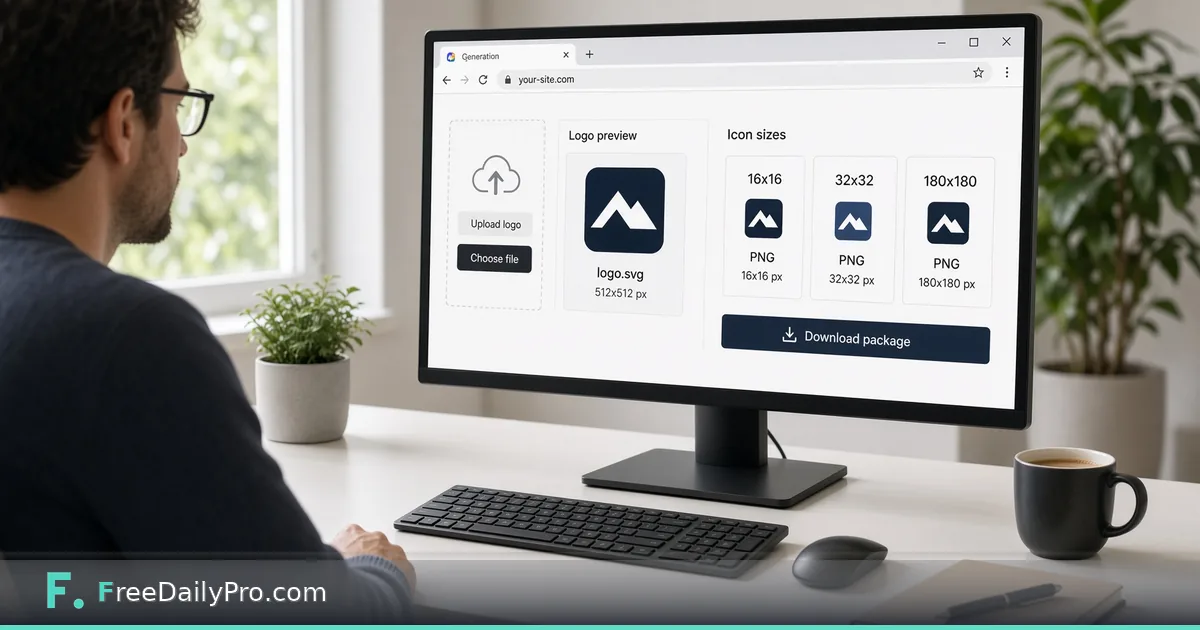
- Check the preview strip: 16, 32 and 48 pixel versions and the 180 pixel Apple version.
- Under Fill choose Crop to fill or Fit whole image.
- Tick Background if you need a solid colour behind the image, then choose it with the colour swatch.
- Press Download all (ZIP), or favicon.ico only if that is all your content system asks for. Each download counts as one of your 10 trial usages for the day.
- Unzip into your site root, paste the tags inside the head element, and reload with a hard refresh.
Everything is drawn in your browser using the page canvas, so the image you drop is not sent to a server for conversion.
Transparency and background: a decision with consequences
With Background off, empty areas stay transparent in every PNG. That looks right on a white tab strip and awful for a dark logo on a dark theme, where the mark vanishes. With Background on, the colour fills the whole square in all six PNGs and in the ico, so the icon carries its own tile on any browser theme. For logos that should not be cropped, the tool's own tip recommends Fit whole image together with a background colour. If you need an exact brand hex code from a style guide, Color Converter translates between HEX, RGB, HSL and several other formats before you pick the swatch.
A home-screen icon sits on a phone wallpaper, so a solid background usually makes the 180 pixel version easier to recognise than a transparent one.
Common mistakes
- Uploading a tiny image, such as a 64 pixel social avatar, then asking for 512 pixel output. The big sizes will look soft.
- Choosing Crop to fill for a logo whose edges carry meaning.
- Putting the files in an assets folder while the tags point to the root.
- Judging only the 180 pixel preview. The 16 pixel one is what visitors see all day.
- Forgetting that browsers cache icons aggressively, so a stale tab icon can persist after you upload the new set.
Checking the result in the real world
A preview strip on a white page is the easiest case. After uploading, open your site in a dark-themed browser, in a private window so cached icons are not reused, and in a bookmark bar full of other sites. Compare your icon against its neighbours: the winners are usually a single bold shape or a single letter with strong contrast. If two of the sizes look noticeably different, for example the 16 pixel version loses a thin line that the 48 pixel one keeps, simplify the source and run it again rather than editing each file by hand.
Making a source image if you do not have one
If the brand has no square mark yet, sketch one in Logo Maker with a single bold shape and high contrast, download it, then bring it here. Design tools live together in the design tools category. For a related walkthrough, see the post on adding a favicon to a website.
A final test
Open the site in two browsers and a phone, pin a tab, and add the page to a home screen. If the symbol still reads at pinned-tab size next to a dozen other tabs, the set is done.
Which logo has given you the most trouble at tab size, a wordmark, a badge or a photo? Tell us on the contact page.