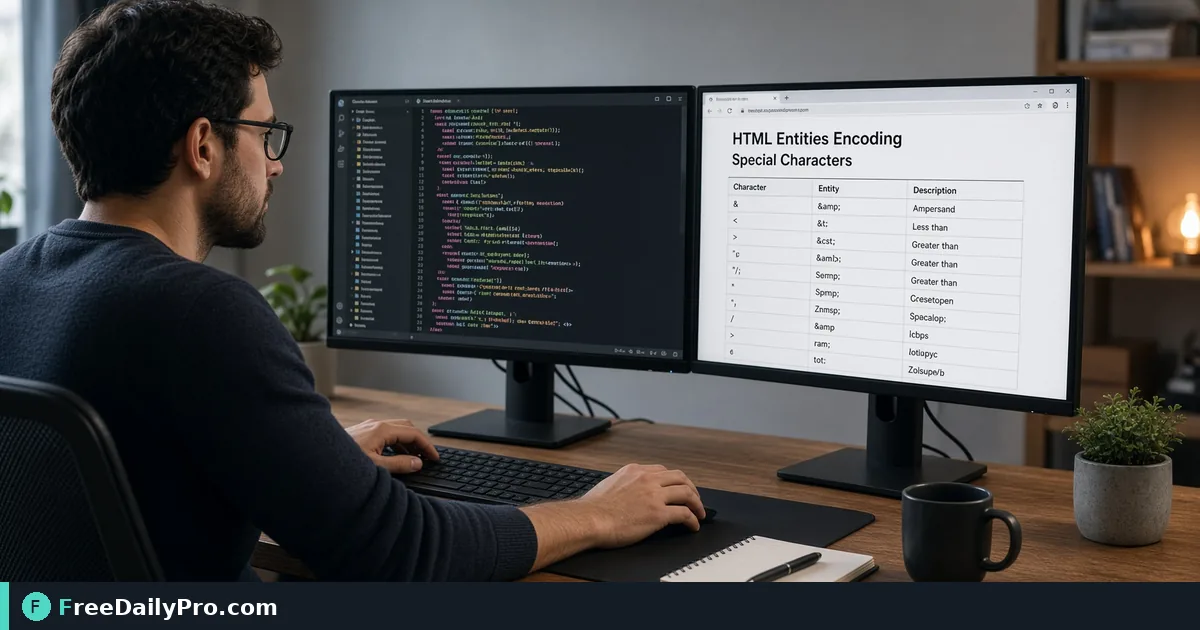
Encode HTML Entities Without Double-Escaping Your Text
Encode or decode ampersands, quotes and accents with the HTML Entity Converter, and learn to spot double-encoding before it hits your page.
A client sends a menu in a spreadsheet and you paste it into a template. "Crème brûlée & café" shows up with a broken accent, a stray ampersand that makes the validator complain, and a quote that snaps an attribute in half. Entities fix all three, and HTML Entity Converter turns text into entities and back again as you type.
The clip below walks through encoding and decoding.

What an entity is and when you need one
An entity is a short code that stands for a character: < for a less-than sign, & for an ampersand, é for an accented e. Three characters matter most because HTML itself uses them. A raw < can start a tag, a raw & can start an entity, and a raw double quote can end an attribute value early. Encoding them makes the browser show the character instead of interpreting it.
Everything else is optional. Accented letters, dashes, currency signs and emoji can sit in a page as plain UTF-8 if the page declares that encoding. Entities become important when the file might be saved in a different encoding, when the text is going into a system that strips non-ASCII characters, or when you want a source file that stays readable in any editor.
Reading the tool's three options
The tool has an Encode and a Decode button, a Swap button, and three checkboxes that appear in Encode mode. The converted text updates live, and Copy Output grabs it.
- Encode quotes is on by default. It turns the double quote into
"and the apostrophe into'. Keep it on for text going inside an attribute such as a title or alt value. Switch it off for body text where quotes are harmless and you want less clutter. - Named entities is on by default and prefers
©oréwhere a name exists. Switch it off and every character becomes a numeric reference in hexadecimal, such as©orè. Numeric references are less readable but work in places that only understand numbers, such as some XML pipelines. - Non-ASCII characters only leaves the sensitive characters
<,>and&alone and converts only accented letters, symbols and emoji. Use it when your text is already valid markup and you only want to protect special letters.
Here is one input run through different settings. The text is: Crème brûlée & café — "Chef's special" €6.50 if 4 < 5.
With defaults you get Crème brûlée & café — "Chef's special" €6.50 if 4 < 5. With quotes off, only the quote marks come back as plain characters. With named off, the accents turn into forms like è. With non-ASCII only, the ampersand and the less-than sign stay raw, which is exactly why that mode is unsafe for untrusted text.
Step by step: encoding a snippet for an attribute
- Paste the raw text into the left box. The tool opens with a small example, a div with a class and the text "Hello & welcome!", which you can replace.
- Leave Encode selected and keep Encode quotes ticked, because the text will sit inside quotation marks.
- Decide on named or numeric references. Named is easier to review later.
- Check the right box. Every
<,>and&should be converted, and nothing readable should have changed apart from non-ASCII characters. - Press Copy Output and paste it into your template.
- Open the page and look at the rendered text, not the source. The result should look exactly like the original.
Decoding and the double-encoding trap
Decode mode converts entities back to characters, and it only converts one level. That detail is the key to the most common bug in this area. Imagine a content system that escapes text when you save it and again when it renders. Your paragraph "Tom & Jerry" is stored as Tom & Jerry and then shown as Tom &amp; Jerry, and visitors see the literal text "Tom & Jerry" on the page.
Decoding is how you diagnose this. Paste what the page source shows. If one Decode pass leaves another entity behind, the text was encoded twice. Fix the pipeline so only one layer encodes, rather than decoding and encoding in the editor, which only hides the problem.
The Swap button helps here. It flips the mode and moves the current output into the input, so you can check a round trip: encode, swap, and confirm that you get the original back. If you do not, something in the text, such as a stray & followed by letters, is being read as an entity name.
Unknown names are left alone. A made-up entity such as &unknown; passes through decoding unchanged, while a legacy entity without its semicolon, such as © followed by a space, still decodes to the copyright sign.
Common mistakes
- Encoding already-encoded text. Decode first if you are unsure, then encode once.
- Using the non-ASCII-only mode on user-supplied text. It leaves angle brackets untouched, so markup survives.
- Forgetting quotes inside attributes. One unescaped double quote ends the attribute and can break the element.
- Assuming entities protect you in every context. They are right for HTML text and attribute values. A URL needs percent-encoding, which URL Encoder handles, and text inside a script block needs different escaping.
- Encoding a whole HTML document. The tool treats everything as plain text and never parses it, so encoding a full page also escapes its tags, which is only what you want when you intend to display the source.
Related tools and next steps
If your source is Markdown, Markdown and HTML Converter produces markup directly, which is often easier than hand-encoding. The wider security tools category holds other text and encoding helpers. The conversion runs in your browser, so the text you paste is processed locally on your device. As with all tools here, the converter counts toward your 10 trial usages a day.
Before you ship, run one last check: view the page source, search for &amp;, and make sure nothing turns up.
Do you more often need to escape text for attributes or to clean up copy that arrives already encoded? Tell us on the contact page.