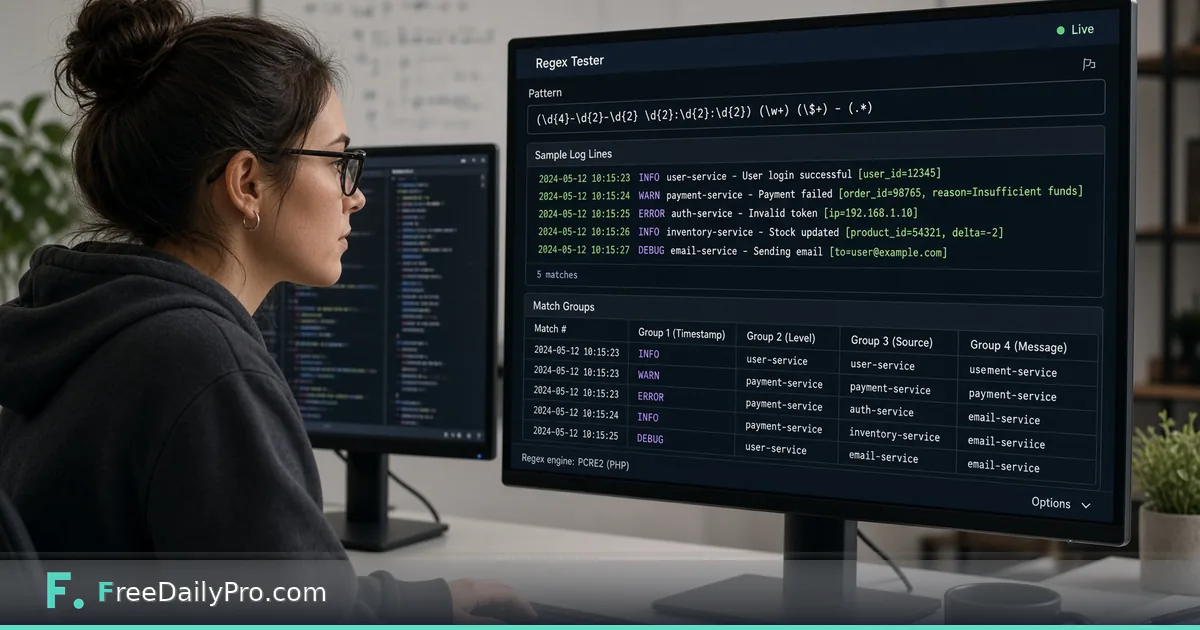
Test a Log-Parsing Regex Before It Drops Real Rows
Build a regex against sample log lines, read the highlights and capture groups, and catch patterns that quietly skip valid rows.
A regex that looks right on the one line you wrote it against is the most dangerous kind. Run it over a week of authentication logs and it can skip a legitimate address without a single error, and nobody notices until a report comes out short. Regex Tester lets you paste real lines, watch the matches light up as you type, and see what each capture group grabbed before the pattern goes anywhere near a script.
In short: paste five or six representative lines, build the pattern in small steps, and treat every unhighlighted line as a question. The clip below shows the live matching in action.

The scenario: pulling users and IPs out of failed-login lines
Say your job is to list who failed to log in and from which address. The sample has five lines like this one:
2026-03-14 09:12:44 login failed user=maria.silva@acme.io ip=203.0.113.42
A first attempt, user=(\w+)@(\w+)\.io, matches none of the five lines, because it assumes a name made only of letters, digits and underscores, and it cannot cope with the dots, hyphens and plus signs real addresses contain. That is normal for a first draft. The point of the tester is that an empty highlight panel shows the gap in seconds, instead of in a downstream spreadsheet.
Paste all five lines into the Test String box, then grow the pattern. The version that behaves well on this sample is user=([\w.+-]+@[\w-]+(?:\.[\w-]+)+)\s+ip=(\d{1,3}(?:\.\d{1,3}){3}). With Global on, the counter reads 3 matches. Match one is user=maria.silva@acme.io ip=203.0.113.42 at index 33, with $1="maria.silva@acme.io" and $2="203.0.113.42". The other two matches are dev-team@acme.io from 198.51.100.7 and tom+ops@mail.acme.co.uk from 192.0.2.200.
Five lines, three matches. The two unhighlighted lines are the lesson. One has user=svc_backup, a service account with no at-sign, which is correct to skip. The other is user=j.o'neil@acme.io, a perfectly valid address that the character class [\w.+-] rejects because it contains an apostrophe. A pattern can pass a casual glance and still be wrong, and only a line you can see not highlighted shows it.
Working through the tool in order
- Type the pattern in the Regular Expression box. If the syntax is broken, a red "Pattern error" message explains why instead of failing silently.
- Paste real text into the Test String box. Use lines from the real source, including the ugly ones.
- Choose the switches. Global (g) and Ignore case (i) start on. Multiline (m) makes
^and$work per line, Dot matches newline (s) lets.cross line breaks, and Unicode (u) treats text as full characters. - Read the Highlighted Text panel first, then the match list below it. Each entry shows the matched text, its index, and the groups as
$1,$2, or by name if you used(?<name>...). - Change one thing at a time and re-read. Matching reruns a quarter of a second after you stop typing.
The engine is your browser's own JavaScript regular expression engine, and matching runs on your device in a background worker. Patterns written for Python, PCRE or Java can behave differently, particularly around named group syntax and lookbehind, so confirm in the target environment before shipping.
Flags that change the answer
Anchors are where most surprises come from. With the line-based pattern ^\d{4}-\d{2}-\d{2} .*failed.*$, Global alone returns 0 matches on the five-line sample, because ^ and $ mean "start and end of the whole text". Switch on Multiline and it returns 4 matches, one for each failed-login line, which is what you wanted.
Case is the other classic. USER= finds nothing with Ignore case off and five matches with it on, because the logs write user= in lowercase. Decide whether the source is case-sensitive before you decide the switch, since a tolerant pattern can start matching things you did not intend.
Global off is a deliberate mode, not a bug. The tool then stops at the first match, which is handy when you only want to confirm that a pattern fires at all. If you see exactly one match when you expect many, check that switch before you doubt the pattern.
Mistakes that look like success
- Unescaped dots.
ip=\d+.\d+.\d+.\d+matches five addresses here, but the bare dots would also acceptip=10x0y0z15. Use\.for a literal dot. - Greedy wildcards.
.*swallows as much as it can, so a pattern with two.*parts can span more of a line than you meant. Prefer a specific class such as\S+or[^@\s]+. - Testing only the happy path. Include the lines that should not match as well as the ones that should, and confirm they stay unshaded.
- Empty matches. A pattern that can match nothing, such as
a*, is counted and listed with an index but has nothing to highlight. If the count says matches but the panel is blank, require at least one character. - Reading the list as complete. The list shows the first 20 matches, and the tool caps its search at 1000, shown as a count with a plus sign. For a big log, test on a sample and run the pattern in your own tooling.
When the tool stops your pattern
If a pattern runs longer than 1.5 seconds the tool ends it and shows an amber notice about catastrophic backtracking. That usually means nested repetition such as (a+)+, where a failing input forces the engine to try an enormous number of paths. Rewrite the repeated parts so they cannot overlap. Cancelling beats freezing the tab, but the notice is also a warning that the same pattern could stall a server.
What to do with a pattern that works
Once the highlights are right, copy the pattern into the place it will live. If you want to rewrite text instead of only finding it, the Find and Replace tool has a Regex switch, so you can reuse the same expression with a replacement. For a quick pull of plain addresses from a block of text without writing any pattern, Email Extractor is the shorter route. When the output you are parsing is JSON rather than flat lines, format it first with JSON Formatter, because a real parser beats a regex for nested data. You can browse the rest of the security tools too.
One note on data: logs often contain real names and addresses. Matching happens in your browser, but it is still good practice to paste a trimmed or masked sample when you are only checking pattern logic.
Which log format keeps defeating your patterns, and what does the troublesome line look like? Tell us on the contact page and we will consider it for a follow-up guide.