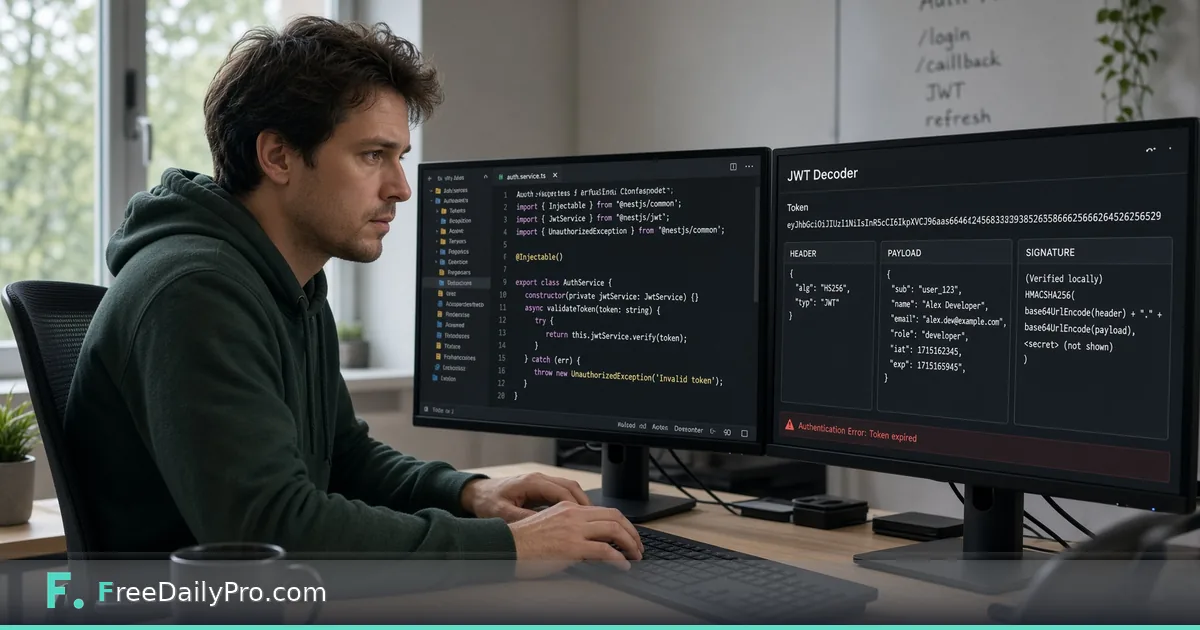
Read a JWT's Claims and Expiry From a Staging 401
Paste a bearer token from a staging response and see its header, claims and issued, not-before and expiry times, all in your browser.
Your staging API answered 401 for a call that worked yesterday, and the only clue is a long string in the Authorization header: three chunks of letters separated by dots. Before you blame the gateway, the quickest question is what that token actually claims. JWT Decoder splits it, decodes the first two parts in your browser and shows the header, the payload and any issued-at, not-before and expiry times as readable dates.
The short version: paste the token, read the claims, compare aud, scope and exp with what the API expects. The clip below shows the paste-and-read step.

What the three parts are
A JSON Web Token is header, payload and signature joined by dots. The header and payload are JSON that has been Base64URL-encoded, which is an encoding, not encryption, so anyone holding the token can read them. The signature is a cryptographic stamp over the first two parts. The decoder shows the first two and ignores the third.
That split explains the one thing to remember about this tool: it reads claims, it does not verify anything. A token with an edited payload decodes just as easily as a genuine one. Verification needs the signing key and belongs in your backend or auth library.
A worked example: the orders API rejects a token
Say a test client holds this token (the signature is a placeholder):
eyJhbGciOiJIUzI1NiIsInR5cCI6IkpXVCJ9.eyJzdWIiOiJ1c2VyXzQ4MjEiLCJpc3MiOiJodHRwczovL3N0YWdpbmctYXV0aC5leGFtcGxlLmNvbSIsImF1ZCI6Im9yZGVycy1hcGkiLCJzY29wZSI6Im9yZGVyczpyZWFkIG9yZGVyczp3cml0ZSIsImlhdCI6MTc2MDAwMDAwMCwibmJmIjoxNzYwMDAwMDAwLCJleHAiOjE3NjAwMDM2MDB9.c2lnbmF0dXJlLXBsYWNlaG9sZGVy
Pasted into the box, the header card reads alg: HS256, typ: JWT. The payload card shows sub: user_4821, iss: https://staging-auth.example.com, aud: orders-api, scope: orders:read orders:write, plus three numbers. Below the cards the tool lists the dates: Issued at 2025-10-09T08:53:20.000Z, Not before the same instant, and Expires 2025-10-09T09:53:20.000Z. The difference between exp and iat is 3,600 seconds, so this is a one-hour token.
Because that moment is long past, the Expires line is flagged Expired in red. That is the whole 401: the client cached a token and never refreshed it. Had the flag read Not expired, you would look at the other claims next. A call to a billing API with aud: orders-api would fail for a different reason, and so would a write call if scope only listed orders:read.
Steps in the tool
- Copy the token alone from the failing request. Take the value after
Bearer, without the word Bearer, quotes or a trailing space. - Paste it into the JWT Token box. Decoding happens as you type; there is no button to press.
- Read the Header card.
algtells you the signing family, andkid, when present, names which key signed it. - Read the Payload card for
iss,aud,suband any scope or role claims. - Check the date lines. Issued at, Not before and Expires appear only when those claims are numbers.
- Compare each value with the API's documented expectations, then fix the client, the auth server config or the audience setting.
Reading the claims that cause most 401s
exp is the first suspect. The tool compares it with your device clock, so a laptop that is five minutes off can show Expired while a server with clock leeway still accepts the token, or the reverse. Look at the printed timestamp, not just the colour.
nbf is the mirror image: a token minted by a server whose clock runs ahead is "not valid yet" for a few seconds. If the Not before line is in your future, suspect clock drift between the issuer and the API.
aud and iss are strict string matches in most libraries. A trailing slash on the issuer URL, or orders-api versus orders-api-staging, is enough to fail validation while the token looks perfect to a human eye.
Common mistakes
- Pasting the whole header value. Text such as
Bearer eyJ...or a token wrapped in quotes is not valid Base64 and ends in Failed to decode JWT. Strip the prefix and the quotes. - Expecting five parts to work. An encrypted token (JWE) has five dot-separated parts, so the tool answers Invalid JWT format (expected 3 parts), and its payload cannot be read here at all.
- Cutting the token short. Terminal output and chat apps wrap long lines; losing a dot gives the three-part error, and losing a character inside a segment gives Failed to decode JWT.
- Trusting the decode as proof. If a client claims
scope: adminand the payload really shows it, that tells you what the token says, not whether the issuer ever signed it. - Milliseconds instead of seconds. Claims are seconds since 1970. An
expof 1760003600000 is a millisecond value and decodes to a date tens of thousands of years away, a sign that the issuing code used the wrong unit. - String-typed dates. If
expis the text "1760003600" rather than a number, the date lines will not appear even though the payload decodes.
Handling real tokens carefully
A live token is a password until it expires. The decoder works in your browser and does not send the token to a server, but the habit still matters: prefer staging or test tokens, never paste production credentials into chat or tickets, and rotate anything that leaked. When you share a decoded payload with a colleague, copy the claims and leave the original string out.
When to reach for a neighbour
If you only want one segment, Base64 decodes it directly. To translate a bare exp number from a log line into a date, use Timestamp Converter. When a payload is big and you want to scan it, paste the JSON into JSON Formatter. The security tools category holds the rest of the set, and an earlier overview of the decoder lives in Decode JWTs Instantly in Your Browser for Auth Debugging.
Next step
The next time an API throws a 401, decode the token before you read a single log line. Two minutes with the aud, scope and Expires values usually names the culprit.
Which claim trips up your team most often: audience, scope or expiry? Tell us on the contact page.