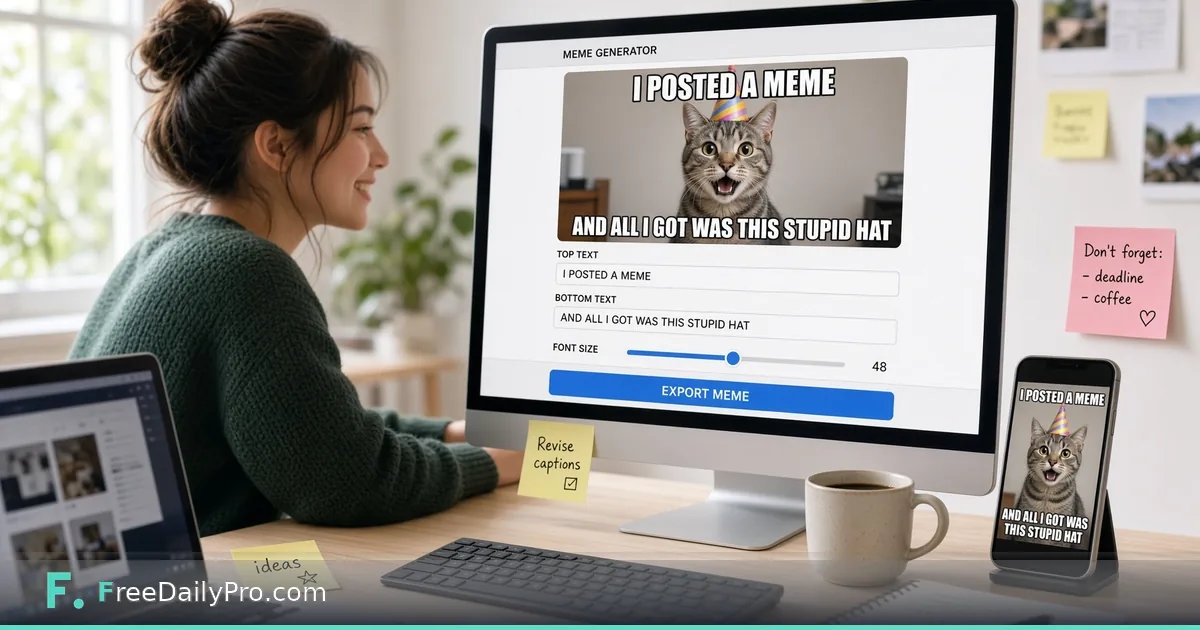
Make a Classic Top-and-Bottom Meme From Any Photo
Add white outlined top and bottom captions to a JPG or PNG in your browser and download a PNG at the photo's full size.
Your four-person dev shop just shipped version 2.0 after a week of late builds, and the release note needs something lighter than another bullet list. You have a photo of a very unimpressed cat that someone took in the office. Meme Generator turns that photo into the classic format, a caption across the top and one across the bottom, without opening a design app.
The clip below shows the basic flow of dropping in a picture and typing the two lines.

What the tool does, and what it leaves alone
It is deliberately small. You drop in one still image (JPG, PNG and similar), type a top line and a bottom line, and download the result as a PNG named meme.png. The text is always converted to capitals, drawn white with a thick black outline, and centred. The font is Anton, which the page fetches from Google Fonts when it opens; if that request is blocked on your network, the browser falls back to Impact or Arial Black and the look changes slightly. Your photo itself is drawn on a canvas in your browser and is not uploaded.
There are no sliders for font, colour, or position, no stickers, and no support for moving pictures. A GIF will come out as a still image, and video memes are not available. If you need anything beyond two lines on a picture, a layout tool is the better fit. For a quick, readable meme, the limits are a feature, because the formatting decisions are already made.
A worked example with a 1600-pixel photo
Say the cat photo is 1600 by 1067 pixels. The caption text starts at roughly one ninth of the image width, about 178 pixels, and the tool shrinks it as needed so a line never spans more than 94 percent of the width. It will not go below one fortieth of the width, which is 40 pixels here. Each block can wrap onto up to three lines before it hits that floor.
Typed as "WHEN THE BUILD PASSES" on top and "BUT ONLY ON YOUR MACHINE" underneath, both blocks are short enough to stay on one line each, shrinking a little if the bottom one needs it. Try a 20-word sentence in the same box and you will watch it wrap to three lines and shrink toward the small end, and the result stops being quick to read. The practical rule: if you cannot say it in about eight words per line, cut it.
Steps in the order you will see them
- Open the tool and drop your image on the drop zone. The page shows a preview canvas and two text boxes labelled Top Text and Bottom Text.
- Replace the placeholder words. The boxes start filled with "TOP TEXT" and "BOTTOM TEXT", and those are real text that will be drawn if you leave them.
- Type your lines and watch the preview redraw. The preview is shown small on the page, but the file you download keeps the photo's full pixel size.
- If you only want one caption, empty the other box entirely. A blank box draws nothing.
- Press Download Meme. This is the point where a trial use is counted, so finish your wording first.
- Use Clear if you want to start over with a different picture.
Getting the picture ready first
A meme is only as sharp as its source. A 600-pixel thumbnail saved from a chat app will look soft once the outline is drawn around the letters, because the stroke width scales with the image. Start from the original photo when you can.
If the picture is huge, say a 4000-pixel phone photo, the PNG will be large too, because PNG does not compress photographs well. Run the original through Resize & Crop first and bring it down to 1600 pixels wide, and you get a much lighter file and a more readable caption proportion. If the photo is a HEIC from an iPhone or some other unusual format, Convert Image can give you a JPG to drop in. When the finished PNG is still too heavy for an email or a chat tool, pass it through Compress Image at the end.
Mistakes that make a meme fall flat
- Leaving the default "TOP TEXT" in place because the preview is small and easy to miss.
- Choosing a busy photo. White letters with a black outline survive most backgrounds, but a bright white wall behind the bottom line and a crowded scene behind the top both cost readability. Pick pictures with calm areas at the top and bottom edges.
- Writing a sentence where a phrase would do. Short lines stay large, and large lines are the whole point of the format.
- Using a face of a colleague who has not agreed to it. For anything that goes outside the team, prefer your own product screenshots, stock photos you have the right to use, or your own pets.
- Expecting the animation to survive. If you drop a GIF, the download is a still.
Checking the result before it leaves your desktop
Open the downloaded PNG at full size, not the preview. Look at the first and last letters of every line to confirm nothing touches the edge, and zoom to 100 percent on a small word to see that the outline is clean. Then view it at the size your reader will see it, which is often a phone screen in a chat thread. If you have to squint, shorten the text and regenerate.
For release notes and internal newsletters, a meme works as a header image or as a single reaction in the middle of a changelog, not as the only content. Pair it with the real information directly below it. For client-facing material, think twice: a joke that lands inside a team can read as flippant to a customer who just lost an afternoon to a bug.
When another tool is the better choice
If you want to add a logo or a watermark across a picture, a captioning tool is the wrong shape. If you need the same crop for ten images, do the cropping in bulk and caption afterwards. The category page for design tools lists the rest of the converters and utilities that sit around image work like this.
Which kind of caption job comes up most for you: team jokes, product announcements, or something else? Tell us on the contact page and we will see what to build around it.