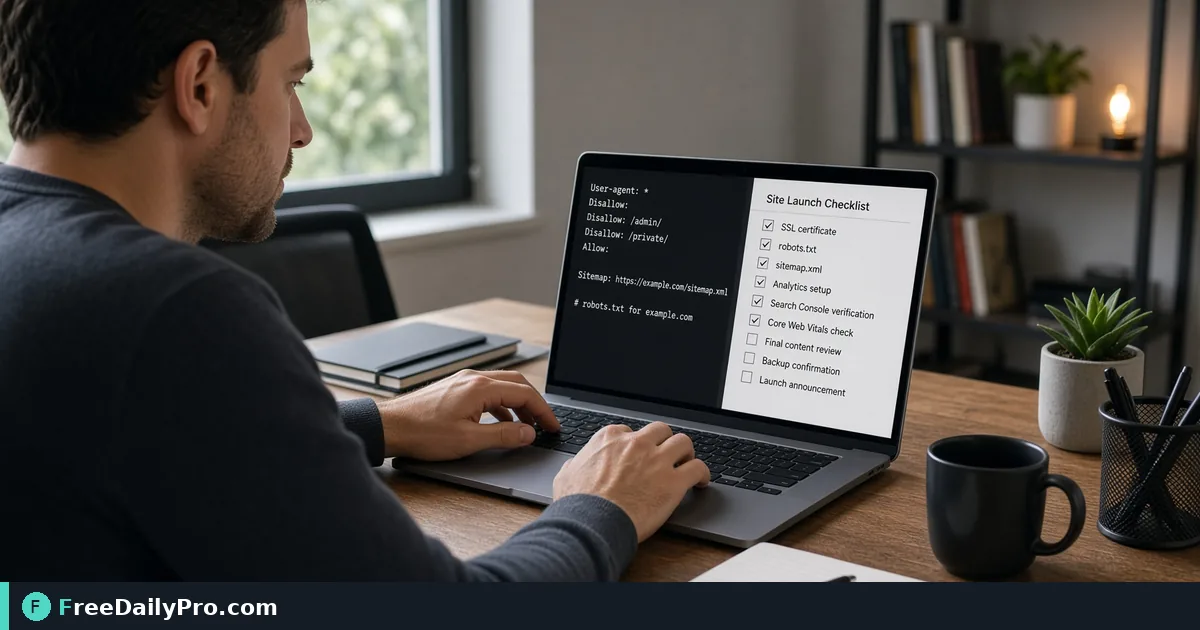
Draft robots.txt and sitemap.xml Before You Launch a Site
Generate robots.txt rules and a sitemap.xml for a new site, with a staging block, skipped URLs explained, and launch-day checks.
Two small text files decide how search engines first meet a new website, and they are easy to get wrong in opposite directions. A forgotten staging block keeps the finished site invisible for weeks, while a missing sitemap leaves crawlers guessing which pages exist. Robots Sitemap writes both files from a short form, so you can review them as plain text and upload them the same afternoon.
The short version: set the domain, list what crawlers should stay out of, list the pages you want found, and download two files. The clip below shows the generator at work.

A launch example: a six-page bakery site
Picture a small bakery site at https://brightloaf.example. The pages are the home page, a menu, a wholesale page and a contact page, plus a cart and a checkout that should never appear in search results. During the build, the same site ran on a staging address, and the test pages are still sitting in the notes.
In the tool you would type the Domain, then fill the Disallow paths box with /cart/, checkout and /search, one per line. The tool adds a leading slash where you forgot it, so checkout is written as /checkout. With the whole-site block unticked, the robots.txt tab shows:
User-agent: *, then Disallow: /cart/, Disallow: /checkout, Disallow: /search, a blank line, and Sitemap: https://brightloaf.example/sitemap.xml.
That last line is added for you and always points to /sitemap.xml on your domain, so save the sitemap file under exactly that name and place it at the site root.
Building the sitemap from your page list
The Pages box takes one path or address per line. Suppose you paste these six entries: /, /menu, /menu again by accident, wholesale, https://brightloaf.example/contact and http://staging.brightloaf.example/test.
The sitemap tab produces four URLs. The duplicate /menu is merged silently, wholesale becomes https://brightloaf.example/wholesale, and the full contact address is kept because it matches your domain. The staging address is skipped, and a note under the output names it: "skipped (different site or invalid)". That note is worth reading every time, because a skipped line usually means a typo or a leftover test URL.
Each entry gets a loc line. If Include lastmod is ticked, every URL carries today's date, for example 2026-10-24, and the Change frequency menu can add daily, weekly, monthly or yearly. Be honest with both: lastmod set to today for every page tells crawlers everything changed today. If your pages did not, untick it or edit the dates after download. The tool also reminds you that a sitemap file holds at most 50,000 URLs.
Steps in order
- Enter the Domain. You can leave out
https://; it is added for you. A path is dropped and a port is kept, and the host needs a dot or must be localhost, otherwise a red message asks for a valid address. - Fill Disallow paths with the sections crawlers should skip: carts, checkout, internal search, admin areas.
- Decide on the staging block. The "Block the whole site (staging)" checkbox writes
Disallow: /for everyone and ignores your other paths. Tick it on a work-in-progress site, and untick it before launch. - Fill Pages with the real public URLs.
- Set lastmod and change frequency honestly.
- Check both tabs, then Copy or Download robots.txt and sitemap.xml.
- Upload both files to the root of the site and open
/robots.txtand/sitemap.xmlin a browser to confirm they load.
The launch-day mistake that costs the most
Forgetting the staging block works in reverse. If you generated a blocked robots.txt for the preview site and then copied the same file to production, the live site tells every crawler to leave. The fix is trivial, yet it can go unseen because the site looks perfect to a human visitor. Make "open /robots.txt on the live domain" a line on your launch checklist and read the first two lines.
The opposite error is relying on robots.txt to hide pages. It controls crawling, not indexing. A blocked page can still show up in results if other sites link to it, and crawlers cannot see a noindex tag on a page they are forbidden to fetch. To keep a page out of search, use a noindex directive on a page that stays crawlable, or put it behind a login. Never list sensitive addresses in robots.txt, since the file itself is public.
Common slip-ups
- Disallowing a section that contains your best pages, such as
/blog/instead of/blog/drafts/. A path is a prefix, so/shopalso blocks/shop-sale. - Listing pages in the sitemap that are blocked in robots.txt, which sends mixed signals.
- Including redirected or error addresses. List the final, working URL for each page.
- Mixing
http://andhttps://orwwwand non-www forms. The tool keeps only addresses that match the domain you typed, so choose the canonical form first. - Leaving the example paths
/admin/and/private/in the box when your site uses different names.
What the tool does not do
It does not crawl your site, so the sitemap contains exactly the lines you type. For a large site, export URLs from your CMS and paste them in. It also leaves out priority values and image or video sitemap entries. The files come out as plain text, nothing is uploaded by the generator, and you stay in charge of where they are published. After uploading, submit the sitemap address in each search engine's webmaster console and watch for errors there.
Next steps for the same launch
Crawl files are one layer of a launch. Title and description tags come next, and Meta Tag Generator produces them for each page. Site Launch Kit goes wider and packs robots.txt, sitemap, head tags, structured data, a web manifest and a security.txt contact file into one ZIP, which suits a brand-new site that needs all of them at once. If the bakery has an FAQ page, Schema Generator can draft its structured data; there is a separate guide to FAQ schema. More options sit in the SEO tools category.
Do you launch sites on a fixed checklist, and which crawl or indexing step does yours usually miss? Let us know on the contact page.