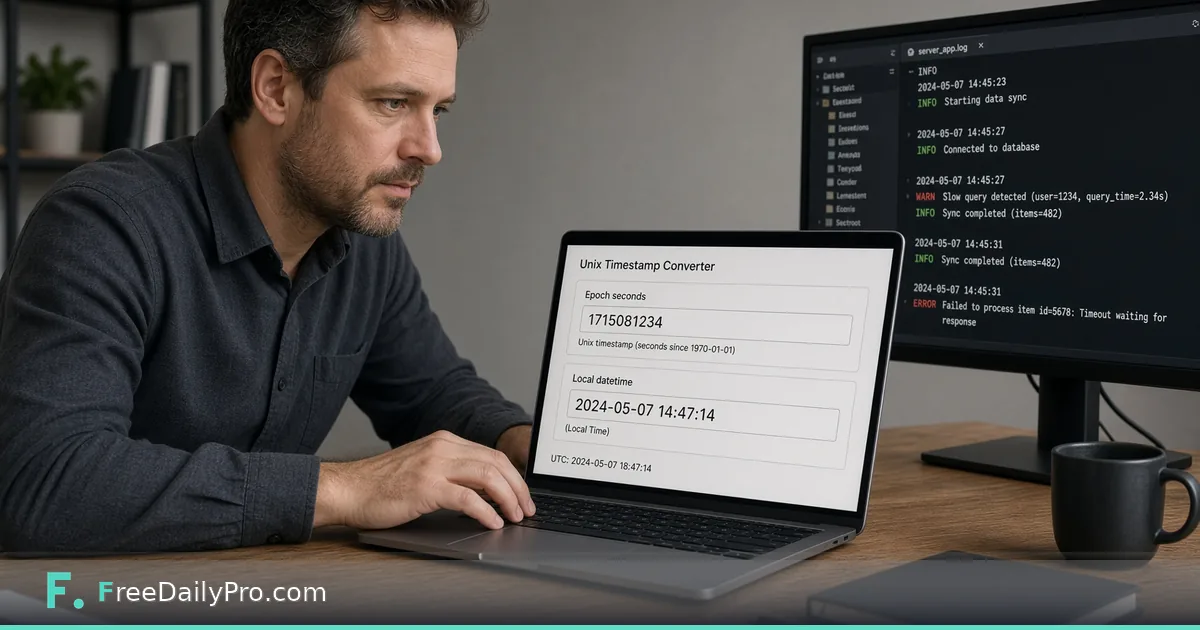
Read Unix Timestamps in Logs: Seconds, Milliseconds, UTC
Turn log timestamps like 1761305040 into UTC and local times, spot millisecond values and find the minutes between two events.
An alert fires, you open the log, and every line starts with a ten-digit number such as 1761305040. The person who owns the dashboard says "around 7 am", the load balancer is set to UTC, and the app server writes epoch seconds. Until all of those become the same clock, you cannot say what happened first. Timestamp Converter turns an epoch value into dates in both directions, so you can fix the timeline in a couple of minutes.
Quick answer: paste the number into the Unix Timestamp box. The tool reads it as seconds or milliseconds on its own, shows the local time of your browser, the ISO 8601 form in UTC, and a relative phrase such as "last year". You can also type a UTC date and time and get the epoch number back.
The clip below shows converting a Unix timestamp to a date.

A small incident, worked through
Imagine these three lines from an authentication service on 24 October 2025:
1761300000 login_failed user=ops-14
1761305040 login_failed user=ops-14
1761305040123 lockout user=ops-14
Paste the first number. The ISO 8601 line reads 2025-10-24T10:00:00.000Z, so it is 10:00:00 UTC. A viewer in New York sees 06:00 local, and one in Mumbai sees 15:30. Paste the second, 1761305040, and you get 2025-10-24T11:24:00.000Z. The difference is 5,040 seconds, which is exactly 84 minutes: the failures were 84 minutes apart, not a burst.
The third value has 13 digits. The tool says it is read as milliseconds and returns 2025-10-24T11:24:00.123Z. That is the same second as the second line plus 123 milliseconds. So the lockout fired a fraction of a second after the second failure. The only difference between the two numbers is the unit, and getting the unit wrong would have made one of them look like a date thousands of years away.
How the unit is decided
The tool compares the absolute value to 100,000,000,000 (1e11). At or above that, it reads milliseconds. Below it, seconds. A note under the input states which interpretation it applied: "Read as seconds" or "Read as milliseconds". Seconds-based values of ten digits cover dates up to the year 2286, and 13-digit values are milliseconds in the current era. Fractions are accepted, so 1761305040.5 works, and negative numbers give dates before 1970: -86400 is 31 December 1969 in UTC.
Edge cases deserve care. A value like 1761300000123456 has 16 digits and is probably microseconds. The tool would read it as milliseconds and show a date in the year 57783. If you see an absurd year, divide by 1,000 for microseconds or 1,000,000 for nanoseconds before pasting. Values past the limits of what a date can hold produce an "Out of range" message, and anything that is not a plain number shows "Not a number".
Step by step
- Paste the epoch value into the Unix Timestamp box. Check the note under it for seconds or milliseconds.
- Read the three result lines: Local time, ISO 8601 (UTC) and Relative. Press Copy beside the one you need.
- To go the other way, use the Date and Time (UTC) field and type or pick a date down to the second. The timestamp box updates in seconds.
- Press Use Current Time to fill both boxes with now, handy for comparing a log line against the present.
- Repeat for the other event, and subtract.
The date input is explicitly UTC. If your local calendar says 09:30 in your area, convert it before typing, or you will be a few hours off. For example, 24 October 2026 at 09:30:00 UTC is 1792834200, and midnight starting that day is 1792800000.
Local time is your browser's time
The Local time line follows the time zone of the device you are using, which is not necessarily the zone of the server or the person who filed the ticket. When a report says "it happened at 7 am", ask which zone. The ISO line ends with Z, which means UTC, and is the one to paste into a ticket so that colleagues anywhere read the same moment. For zone arithmetic between offices, use the Timezone Converter.
Useful reference points
- 0 is 1970-01-01T00:00:00Z, the epoch.
- 86400 is exactly one day later.
- 1767225600 is 2026-01-01T00:00:00Z.
- 2147483647 is 2038-01-19T03:14:07Z, the last second a signed 32-bit counter can hold, so a system storing seconds in 32 bits will wrap there.
These are good sanity checks. If a field that should be recent shows a value near 0, it was probably never set, and a value near 2147483647 might be a placeholder for "never expires".
Mistakes that waste an hour
- Assuming a log is in your zone. Servers often write UTC while a dashboard converts to local time, so the same event shows two different clock times.
- Mixing units across systems. One service writes seconds, another milliseconds. The note under the input is your reminder to check each value, not a whole file.
- Copying the Local time line into a ticket. It carries your own zone and will mislead a teammate elsewhere.
- Forgetting that token claims use seconds. A token's expiry time is normally in epoch seconds, so paste it here to check, after decoding it with the JWT Decoder. Decoding is not verifying, so do not treat a readable token as a trusted one.
- Treating a date as a precise time. The date field goes down to seconds only, so use the timestamp box for sub-second values.
Pulling many timestamps out of a file
The converter handles one value at a time. If you have a 5,000-line log, extract the numbers first with a pattern in the Regex Tester, such as a run of ten or thirteen digits at the start of a line, and then convert only the few that matter, such as the first error, the first lockout and the recovery. If the log also shows scheduled jobs, the Cron Builder helps you check their schedules. More developer helpers are in the security tools category, and our guide to JWT decoding covers token fields in more depth. Trial usage is 10 a day, so choose the key timestamps before converting.
Writing the timeline
Put each event in one line: the ISO time in UTC, then the raw epoch in brackets so a colleague can verify it, then what happened. Add the gap between steps, such as "+84 min". When your notes are all in UTC, the question of "which came first" disappears.
Which log format gives you the most trouble, epoch seconds, milliseconds or something else? Tell us on the contact page.